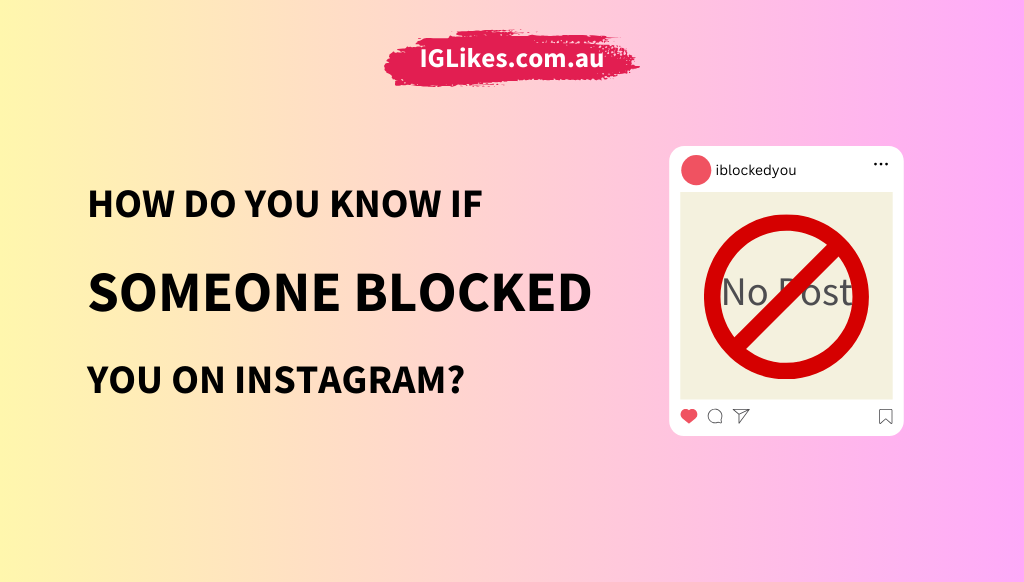
How to Know If Someone Blocked You on Instagram?
Have you ever noticed that you can’t see someone’s profile or interact with them on Instagram like you used to? It can be confusing to determine if they’ve blocked you or deleted their account.
This guide will explain how to check if someone has blocked you so you don’t have to guess. We’ll also cover how to tell if the person has deleted their account instead of stopping you.
Understanding these signs will help you know what’s happening with your Instagram connections.
7 Ways to Know If Someone Blocked You on Instagram
Have you ever wondered if someone has blocked you on Instagram? It can be frustrating and confusing, especially if you need clarification on what’s going on.
In this article, we’ll explore the signs that indicate someone has blocked you on Instagram.
1. Check Their Profile
One of the easiest ways to determine if someone has blocked you is to check their profile. Use the search bar to look for the person’s profile. They’re likely to have blocked you if you can’t find their profile, but you can still see their previous posts or interactions. However, if their profile appears, but you see a message saying “No Posts Yet” and you can’t view their posts or bio, they might have restricted your access.
What does it mean if their profile is restricted? If someone restricts your access, you’ll still be able to see their profile, but you won’t be able to view their posts or bio. This is different from a block, as you can still see their profile, but you won’t be able to interact with them.
2. Check Direct Messages
Another way to determine if someone has blocked you is to check your direct messages. Go to your direct messages and look for conversations with the person. If the messages are still there, but the profile picture or username is missing, it’s likely that they’ve blocked you. Additionally, if you try to send a message that shows an error or does not go through, they might have blocked you.
What happens to our conversation history? If someone blocks you, your conversation history will still be visible to you, but you won’t be able to send new messages or interact with them in any way.
3. Look at Their Comments or Likes
Take a closer look at your posts and comments to see if they’ve been liked or commented on. If their comments or likes have disappeared, they may have blocked you. This is especially true if you’re used to seeing their interactions on your posts.
Why do their comments and likes disappear? When someone blocks you, their interactions with your content will be removed from your posts. It clearly indicates that they’ve blocked you, as their comments and likes will no longer be visible.
4. Try to Tag Them
Attempt to tag the person in a new post or story. They’ll likely block you if you can’t find their profile when tagging. This is a quick and easy way to determine if someone has blocked you.
What happens if I try to tag them and it doesn’t work? They may have blocked you if you tried to tag someone, but it didn’t work. You won’t be able to tag them in a post or story, and you might see an error message instead.
5. Search for Their Account via a Different Profile
Log out of your account or use a different profile to search for the person’s profile. You’ve likely been blocked ifYou’ve likely been blocked if their profile is visible from another account but not yours. This is an excellent way to confirm if someone has blocked you, as you can use a different account to search for their profile.
Why does their profile show up on another account? If someone blocks you, their profile will only be hidden from your account. If you use a different account to search for their profile, you’ll be able to see it, as the block only applies to your original account.
6. Check for Mutual Followers
If you have mutual followers, ask them if they can see the person’s profile. If they can, it confirms that you’ve likely been blocked. This is an excellent way to get confirmation from someone else, as they can only see the person’s profile if they have been blocked.
What if my mutual followers can’t see their profile? If your mutual followers can’t see the person’s profile, they may also have blocked them. However, it’s also possible that the person has set their account to private or has restricted access to their profile.
7. Try Following Them
If the person’s account is private, try following them. If you receive a notification that you can’t follow them or receive no response, it might be due to a block. This is especially true if you’re used to being able to follow people without any issues.
What happens if I try to follow them and it doesn’t work? If you try to follow someone and it doesn’t work, they may have blocked you. You won’t be able to follow them, and you might see an error message instead.
Are You Blocked, Or Did They Delete Their Account?
Sometimes, it can be confusing to determine if someone blocked you or if they deleted their account. If you suspect you’ve been blocked, there are a few clear signs to look for:
- If their profile is visible from another account but not yours, it strongly indicates that you’ve been blocked.
- If their old interactions, such as likes and comments on your posts, have disappeared, this further suggests a block.
- Wrenching for their profile from your account yields no results, but searching from another account makes it almost sure they have blocked you.
On the other hand, if someone has deleted their account, the signs are slightly different. When searching for their profile from multiple accounts, they’ve likely deleted their profile if the profile remains unavailable. Similarly, if they were in your followers list, or you were following them, their profile will vanish from these lists upon deletion.
What Happens if You Get Blocked on Instagram?
When someone blocks you on Instagram, several changes occur in your interaction with that person:
- Invisibility of Profile and Content: You will no longer be able to see their profile, posts, or stories. Their content will disappear from your feed, and you won’t be able to search for their profile.
- No Direct Communication: You won’t be able to send them direct messages. Any previous messages exchanged will remain in your inbox, but you won’t be able to initiate new conversations.
- Interaction Restrictions: If you try to tag them in posts or stories, you won’t be able to find their profile. Additionally, any likes or comments they previously made on your posts will vanish.
- No Notifications or Alerts: You won’t receive notifications about their activity, such as when they post new content or interact with others. The block is effective immediately and discreetly, and you will not be notified about it.
Conclusion
Figuring out if someone blocked you on Instagram or deleted your account can be tricky. But with the steps we’ve shared, you can find out what’s happening. By checking their profile, messages, and interactions, you can see if they’ve blocked you.
If their profile is missing everywhere, they might have deleted their account. Knowing these signs helps you understand what’s going on with your Instagram connections and makes using the app a bit easier.